It is an open-source alternative to Heroku, Vercel and Railway that you run yourself: one Rust binary next to Docker, not a stack of services to look after. Push a commit and Tugport builds it, switches traffic once the new version is healthy and serves it over HTTPS, with logs, charts, backups and scoped API keys for your AI agents built in.
It runs on Linux with systemd, on x86_64 or arm64, and it is free and MIT licensed.
Or let Claude Code, Codex or another coding agent install it and move the apps already running on your server:
Move the apps on my server to Tugport by following https://tugport.com/agents.md
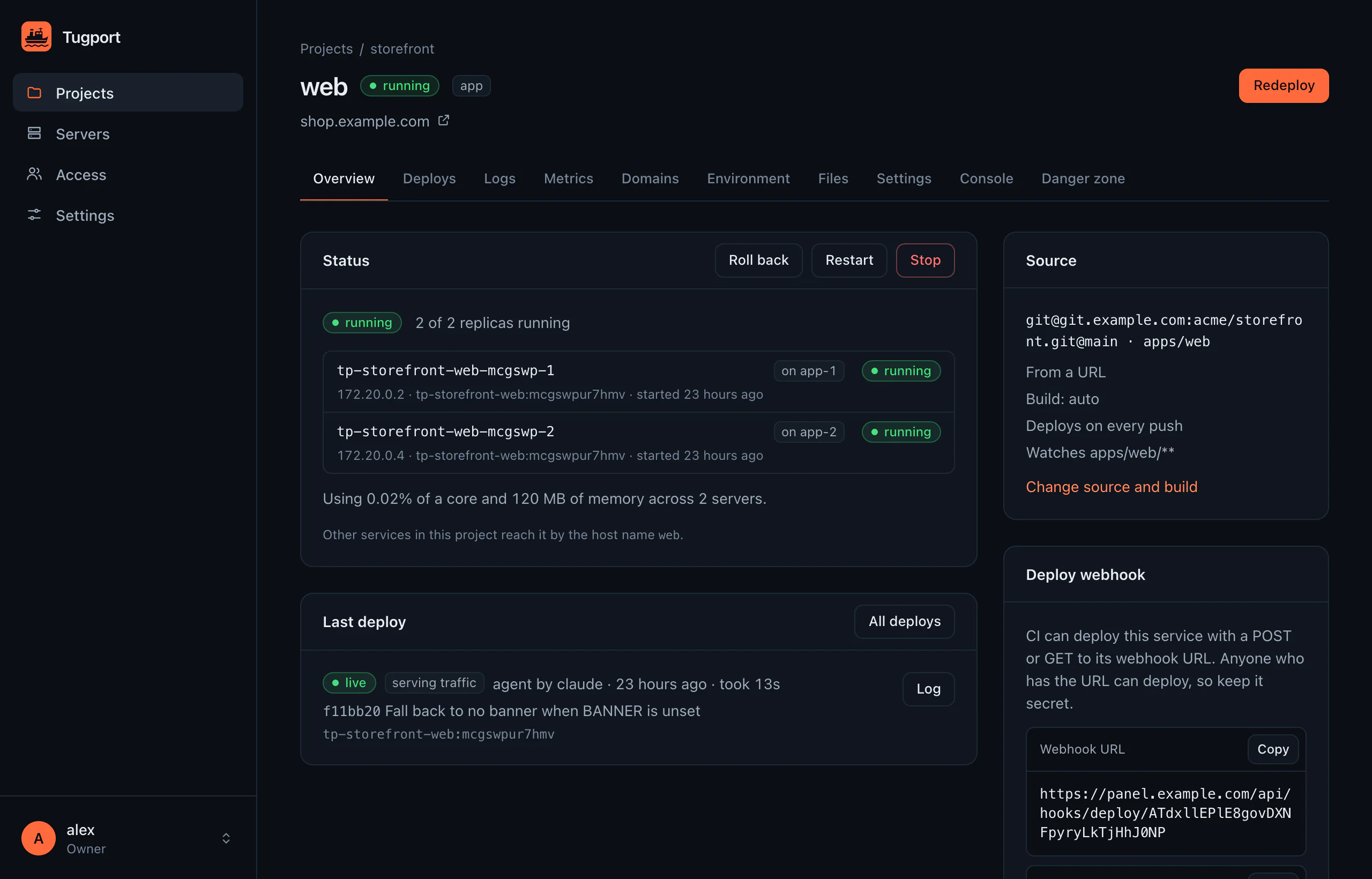
panel.example.com/projects/storefront/web
See what Tugport does in four minutes.
Everything a deploy needs comes in the same binary.
Tugport replaces the panel, the reverse proxy, the metrics server and the log shipper you would otherwise run next to your apps, and it keeps working when a build fails or a server goes away.
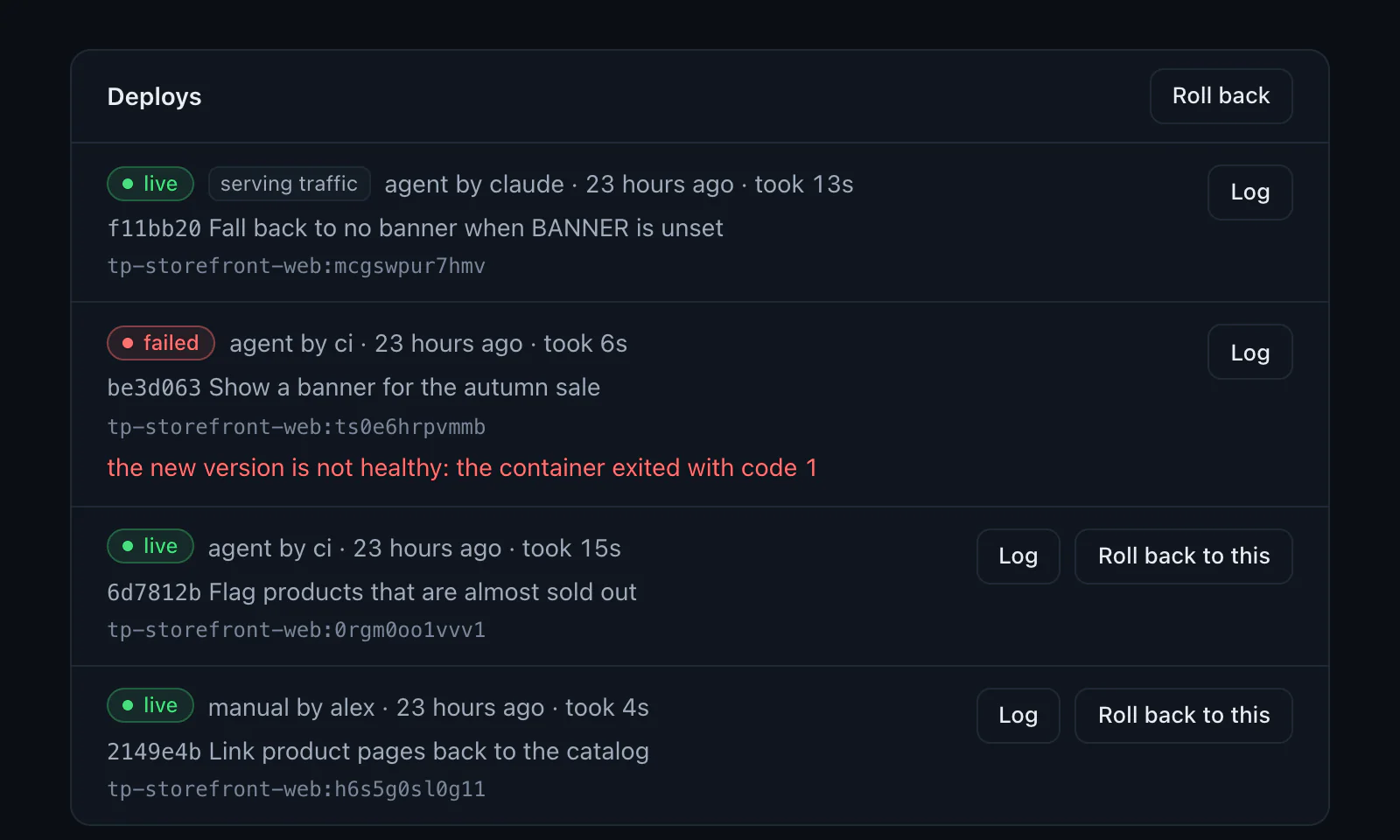
A broken release never gets traffic.
Tugport builds every push from GitHub, Forgejo, GitLab or any Git server with your Dockerfile, Railpack, Nixpacks or buildpacks, and moves traffic only after the new version passes its health check. Rolling back takes one click.
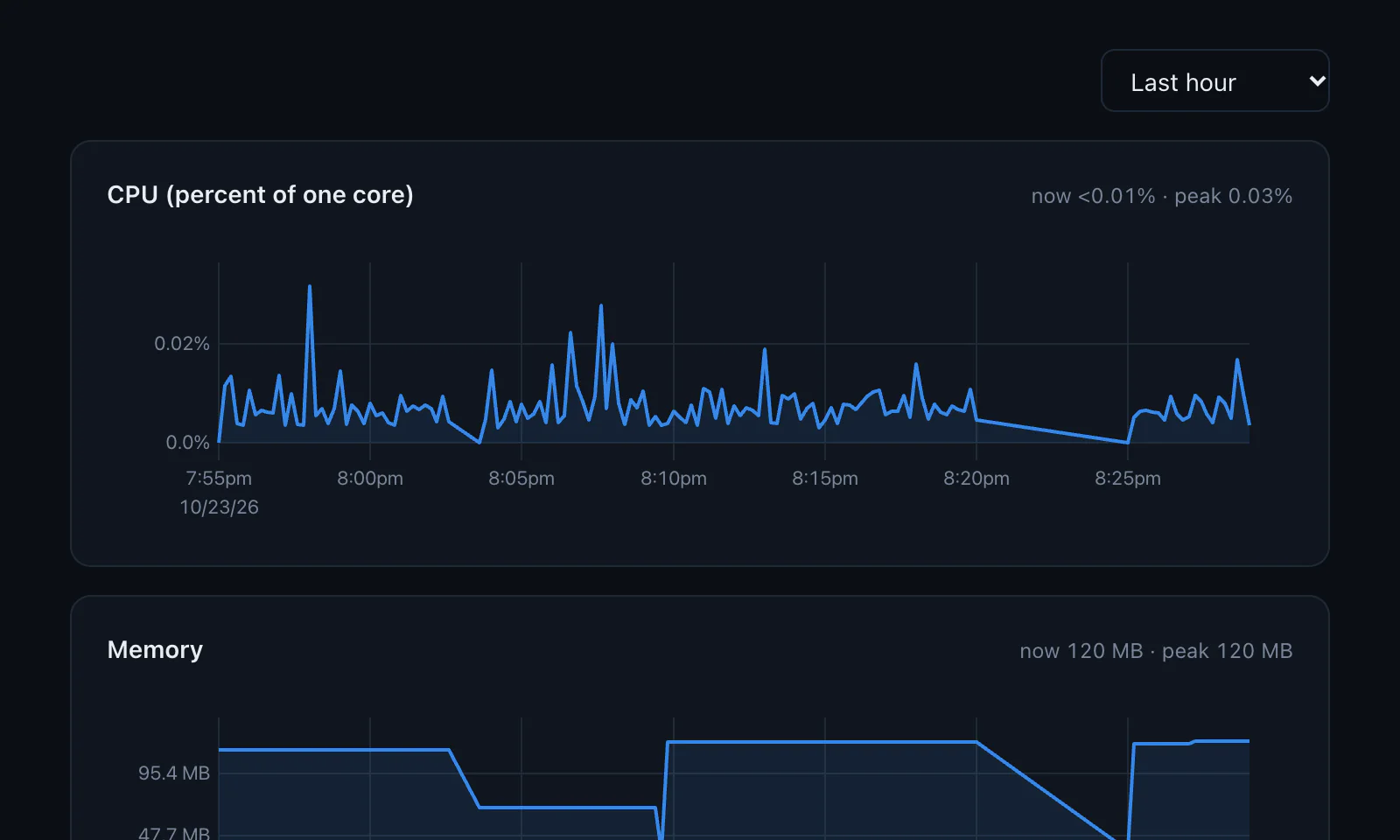
Logs and charts are built in.
Follow every replica's logs live, search them and scroll back past restarts. CPU, memory, disk, network and GPU use is charted for every server and service, from the last hour to the last 30 days.
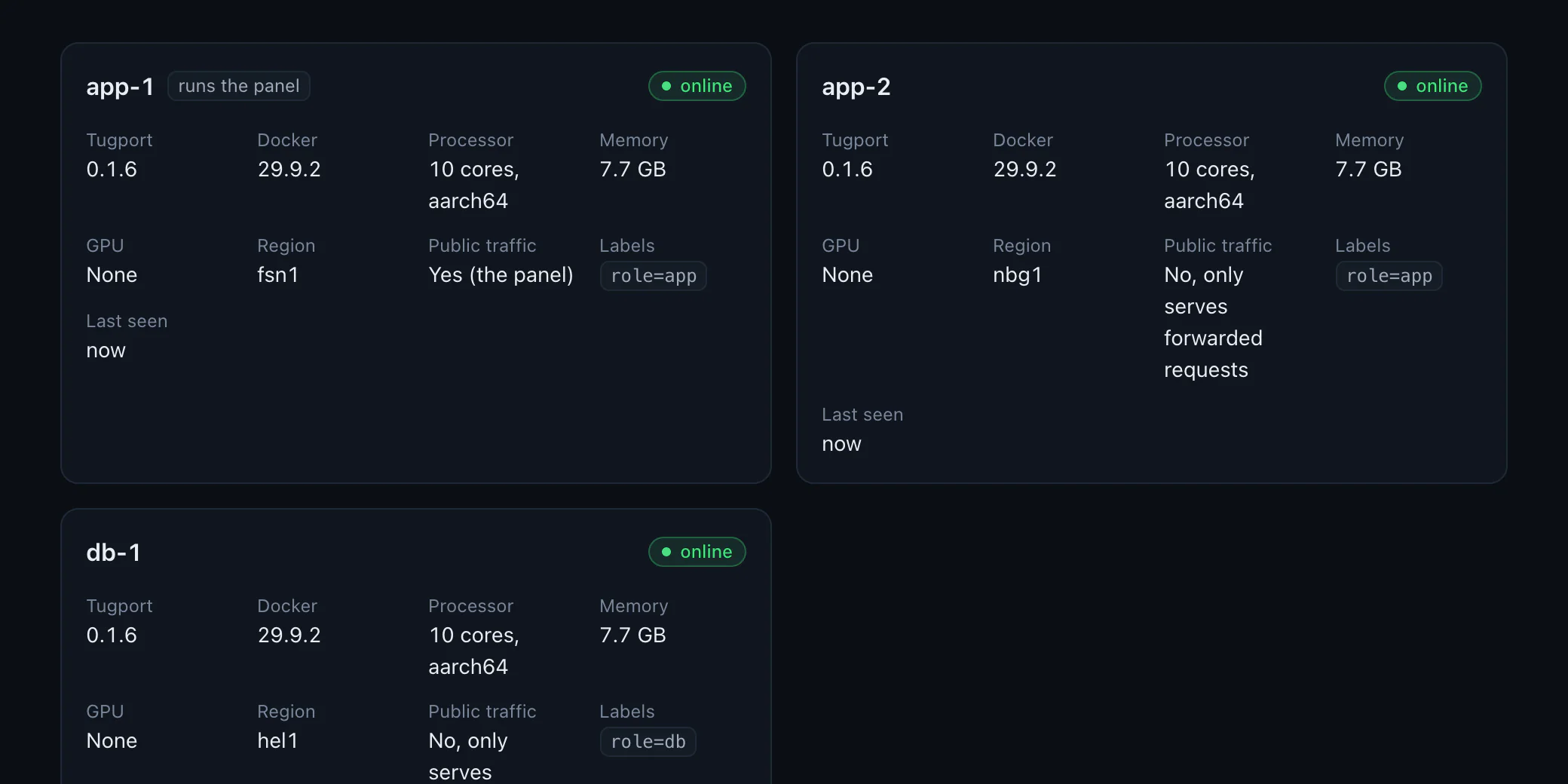
More servers join with one command.
A new server joins an encrypted WireGuard network by running the command the panel shows, or Tugport creates it at Hetzner or AWS. Replicas spread across servers, grow and shrink with load, and move when a server goes away.
Databases come with backups.
Postgres, MySQL, MariaDB, MongoDB and Redis run next to your apps with generated credentials.
Scheduled backups go to S3-compatible storage or a disk, and a test restore checks them.
Read replicas run on other servers, with a promote button.
Volumes are backed up and restored the same way.
Moving from Easypanel or Coolify is one command.
The installer notices an existing panel and offers to move its projects, domains, certificates, environment, volumes and webhooks while the apps keep running. Data stays where it is, and tugport migrate rollback starts the old panel again.
$ tugport migrate easypanel --dry-run
easypanel 2.38.0 -> Tugport: 2 projects, 6 services
shop
  api   app       next to the old copy   api.test, 5 env
  db    postgres  stop old, then start   4 env
Certificates: 1 imported, so nothing is re-issued
Scale to zero, autoscaling and Cloudflare Tunnel.
A site nobody visits sleeps until the next request wakes it, replicas follow CPU or request rate, and any domain can be served through a Cloudflare Tunnel that Tugport sets up with your token.
Certificates come from Let's Encrypt and renew by themselves.
Redirects, basic auth, forward auth and maintenance pages are domain settings.
Tugport updates itself unless you turn that off, and the proxy keeps serving while the new version takes over.
AI agents get their own users, keys and limits.
An agent is a user without a password. Give it a role on the projects it needs, and Tugport hands you its key along with setup lines for Claude Code, Codex, the CLI and curl. The MCP endpoint, the CLI and the API all check the same permissions.
Roles go from viewer to deployer, operator and admin. Deleting things and reading secrets need separate grants that no role includes.
Keys can expire, can be limited to IP ranges, and show when and where they were last used.
Every action lands in the audit log with the person or agent and the key behind it.
$ tugport deploy storefront.api04:52:19 Fetching main from git@git.example.com:acme/storefront.git04:52:19 Checked out 5a24391 Cache the product list for a minute04:52:21 Built tp-storefront-api:z2ukkvwlcfw0 in 1.3s04:52:21 Running on app-1, app-204:52:22 Started 2 containers; checking health04:52:22 Traffic switched; letting the old version finish requests for 10s04:52:33Live after 13.5s.
Secrets only reach the containers that use them.
Every environment value is stored encrypted, and the key that opens them is sealed to the server's TPM when it has one. The rest of the design assumes that one of your services will be compromised someday, and keeps that from becoming a problem for the others.
Secrets live in memory inside the container.
Tugport's init loads them from memory-only storage, so they never show up in docker inspect, on disk or in image layers.
Containers can't reach the panel or each other's projects.
Each project has a network of its own, and containers are blocked from the panel's port on their own server, from the encrypted network between servers and from Tugport's internal endpoints.
Dangerous switches need a grant.
Privileged mode, the Docker socket, host networking and bind mounts stay off unless an admin with the destroy grant turns them on.
Agents can write secrets without reading them.
Reading a value takes the secrets grant. Without it, an agent sees only names, and values are masked in its output.
Two-factor sign-in is built in.
People add a TOTP code to their password. Agents have no password at all, only keys that you can revoke instantly.
Nothing phones home.
Tugport sends no telemetry, and its own outbound requests never carry your environment values.
You can try it on a fresh server in a few minutes.
Any Linux server with systemd works, from a small cloud machine to the box under your desk. Tugport needs ports 80 and 443 for your sites and 8484 for the panel until you give the panel a domain of its own.
Run the installer as root.
It checks the download against its published checksum, installs Docker if needed and starts Tugport as a system service.
Open the link it prints.
Create the owner account there, then turn on two-factor sign-in from the account menu.
Connect a repository.
Create a project, add an app from Git, point a domain at the server, and push.